简体中文
角色和道具的制作方法
每个动作一张 PNG,各帧横向拼在一起。
复制规格去请 AI
把这个页面的规格复制成 Markdown,粘贴给 ChatGPT 或 Claude,它就会照着规格做。
上传
在托盘菜单里打开“角色 > 制作…”,选角色、道具或表情标签页,然后点“+ 新建”。写上名字(最多 20 个字),每个动作选一张 PNG,或者直接拖到那个格子里。fps 已经填好了推荐值。道具还能选种类(投掷物、食物、便便)和音效 wav。保存后就出现在你的列表里,在同一个地方可以修改或删除。换角色、选道具、选表情窗口最前面的 + 卡片点一下,也会打开对应种类的制作窗口。
朋友那边,要等他打开托盘的“角色 > 更换…”窗口,或者点托盘的“获取新角色和道具”时才会收到。你自己选的角色会马上显示。
食物道具要右键点朋友,在“食物”里选一个,然后点朋友就飞过去了。在重新选“投掷物”之前,每点一下都是喂食。
便便道具的 fly 图会被画成掉在地上的便便(不会被扔出去,也不会当食物)。你的角色吃饱时拉的就是你选的那个便便。朋友还没下载的便便,在下载之前都显示成默认便便。
表情
在“表情”标签页里选 GIF、WebP、APNG、PNG 或 JPG。应用会缩成 64px,最多取 16 帧,按原速保存(原文件最大 20MB,长宽各最多 2048px)。名字最多 20 个字,在群里不能重复。: 和空格不能用,会把消息里的 :名字: 断开;默认表情的名字(heart·question·exclamation·angry·lol·note)也不能用。
用在哪里:点自己的角色会弹出菜单,里面的“表情”(⌃⌥⌘E,Windows 是 Ctrl+Alt+E)会把选择窗口开在头顶上。在消息里打 : 就会列出名字,选一个就会以 :名字: 进到气泡里。状态和昵称窗口“状态”标签页的表情符号按钮可以把它放进状态。在聊天记录里还能当回应贴在消息上。只有同一个群的朋友能看到。
规格
- 每帧 48×48,每个动作最多 8 帧(4 帧就是 192×48)
- 透明背景,每个文件 200KB 以内(超了应用会重新保存压小。音效 wav 是 50KB)
- 画成朝右(朝左的方向应用会自己翻转)
- 角色和便便要贴着最下面一行、横向居中。投掷物和食物放在帧的正中间
- 角色要把 48 格画得满一些(涂色的格子 800~1200 个,高 30~46 格,身体细的话画更大)。应用不会放大,画小了站在朋友角色旁边就显得小
角色动作
只要有 idle、walk、sleep 就行。其他动作缺了会用别的动作代替。没有 offline 的话,离线时会变成一块石头。
| 动作 | 什么时候 | 推荐 | 缺了的话 |
|---|---|---|---|
idle 必需 | 站着不动 | 2 张,2fps | |
walk 必需 | 走路时 | 4 张,6fps | |
sleep 必需 | 离开 30 分钟或锁屏(Zzz 由应用画) | 2 张,1fps | |
poked | 被戳 | 2 张,8fps | idle |
throw | 扔东西时 | 3 张,10fps | idle |
hit | 被打中时 | 2 张,8fps | poked |
jump | 躲开时、跳跃动作 | 2 张,8fps | idle |
eat | 被喂时、吃东西动作 | 3 张,6fps | happy |
wave | 跟上线的朋友打招呼、打招呼动作 | 3 张,6fps | happy |
happy | 被摸摸时、开心动作 | 2 张,4fps | idle |
offline | 离线(倒下的样子) | 1 张,1fps | 石头 |
道具动作
| 动作 | 什么时候 | 推荐 | 缺了的话 |
|---|---|---|---|
fly 必需 | 飞行途中。在制作窗口打开“飞行时旋转”,应用就帮你转(新建的默认是关的)。关掉旋转的投掷物会朝着飞行方向直飞,所以要画成朝右;关掉旋转的食物会照着你画的样子飞,所以要画成立正的。用多帧给它一点动静,看起来才不像定住了(比如弹跳、闪光)。便便是放在地上的样子 | 投掷物 1 张,食物 1~4 张,12fps(便便 1 张) | |
impact | 打中的瞬间(只有投掷物,食物一到就吃掉) | 3 张,12fps | 应用画的星星迸裂 |
音效 wav 在碰到的瞬间(便便是落地时)响。没有的话,投掷物和食物就没声音,便便会用应用自带的“噗”声。
示例:玩具锤
这是自带道具。fly 只有一张,但飞的时候会转(食物不转)。
| 动作 | 动起来 | 上传的样子(放大 4 倍) |
|---|---|---|
fly飞行途中 |  | 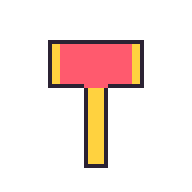 |
impact打中的瞬间 |  | 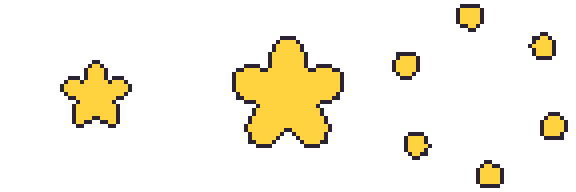 |
按实际大小下载: fly, impact, 全部下载(zip)


便便
便便道具只要一张 fly 就行。画成放在地上的样子,不会旋转。应用不缩放,就按 48×48 格原样画,所以要画在帧的底部中间、小一点(默认便便宽 17 格、高 12 格),上面留空。不一定非得是便便的形状。配合角色的小摆件(迷你南瓜、棺材、毛线球等)也可以,只要装得进底部中间的 24×24 范围。下面是默认便便。
| 动作 | 动起来 | 上传的样子(放大 4 倍) |
|---|---|---|
fly放在地上的样子 |  | 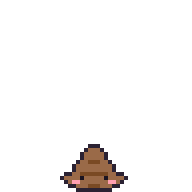 |
按实际大小下载: fly

示例:多基
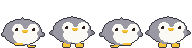
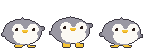
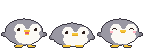
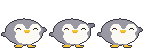
这是照着企鹅玩偶做的多基的全部动作。帧数和上面表里的推荐值一样,而且同一个身体只换姿势,所以各动作之间不会走形。
| 动作 | 动起来 | 上传的样子(放大 4 倍) |
|---|---|---|
idle站着不动 |  | 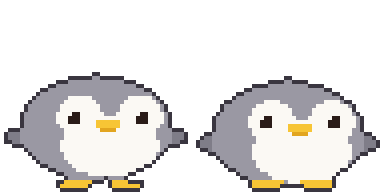 |
walk走路时 |  | 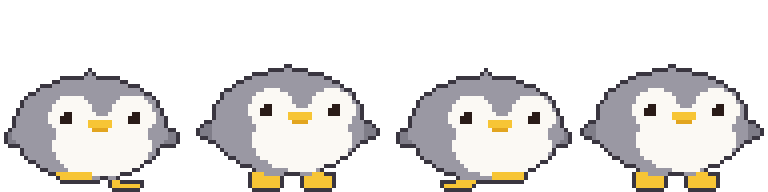 |
sleep睡觉 |  | 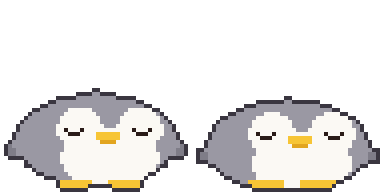 |
poked被戳 |  | 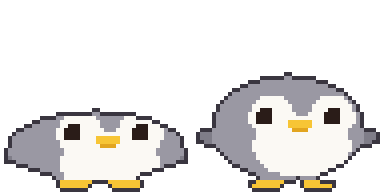 |
throw扔东西时 |  | 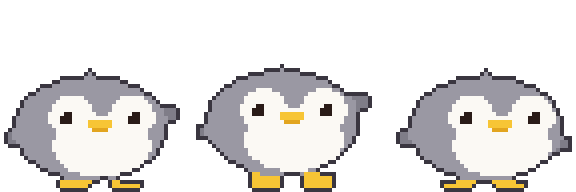 |
hit被打中时 |  | 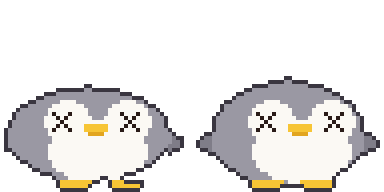 |
jump躲开、跳跃 |  | 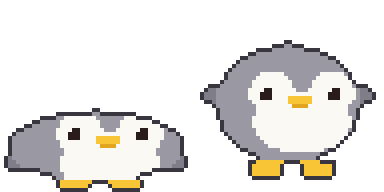 |
eat被喂时 |  | 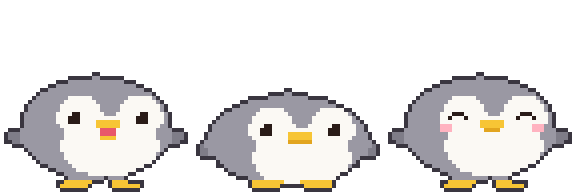 |
wave打招呼 |  | 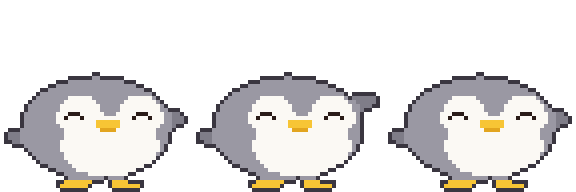 |
happy摸摸 |  | 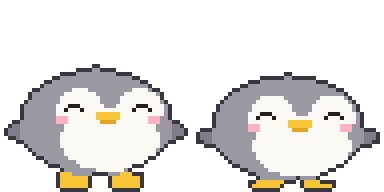 |
offline离线 |  | 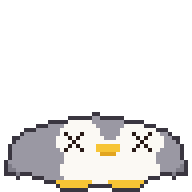 |
按实际大小下载: idle, walk, sleep, poked, throw, hit, jump, eat, wave, happy, offline, 全部下载(zip)







模板
制作窗口里的“下载模板”会给你一份模板,每个动作都画着应用自带的小仓鼠(道具是橡果)做示例。空白模板在这里: 2 帧, 4 帧, 8 帧, 全部下载(zip)

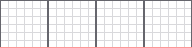

把它放在下面一层,在上面画,然后关掉模板图层再保存。红线是脚的基准线。
画图工具: Piskel(网页版,免费), LibreSprite(免费), Aseprite(付费)
用 AI 做
图像 AI 做不到正好 48 像素。先画大,再缩小,然后修一修。
- 用下面的提示词生成
- 每一帧都缩到 48×48。插值方式一定要选邻近取样(Nearest Neighbor),不然会糊。
- 把背景抠成透明,再把各帧位置对齐
不用安装,在浏览器里:
- Photopea(免费,和 Photoshop 差不多):缩小用“图像 > 图像大小”,把重新采样设成 Nearest Neighbor。背景用魔棒工具(容差 0,关掉抗锯齿)点一下背景,按 Delete,然后导出成 PNG。
- remove.bg(免费):只想去背景的时候用。边缘可能会变模糊,所以要用在缩小前的大图上。
基本样子
Pixel art sprite of a cute [animal], side view facing right, full body,
match the body shape, proportions and features of the attached picture if any
(otherwise the real proportions of that animal or character),
on a 48x48 pixel grid, upscaled so one art pixel is a clean 16x16 block
(768x768 per frame), hard edges, no anti-aliasing, no gradients, no dithering,
about 8 colors, 1px dark outline, flat shading, transparent background,
fills most of the grid (about 30-46 pixels tall), feet on the bottom row,
horizontally centered, nothing touching the top or side edges, no shadow, no text
动作表(把上一步的结果一起作为参考图)
Pixel art sprite sheet of the same character, [N] frames in one horizontal row,
no gaps, facing right, animation: [motion],
each frame on a 48x48 pixel grid, upscaled so one art pixel is a clean 16x16 block
(768x768 per frame), hard edges, no anti-aliasing, no gradients, no dithering,
same palette (about 8 colors) as the reference, 1px dark outline,
same size and position in every frame, feet on the bottom row,
transparent background, the 4 corner pixels of every frame transparent,
nothing touching the top or side edges, no shadow, no text
| 动作 | [N] | [motion] | 多基 |
|---|---|---|---|
idle | 2 | gentle breathing, body down 1px in frame 2 | |
walk | 4 | walk cycle: left foot forward, body up, right foot forward, body up | |
sleep | 2 | eyes closed, body rises and falls 1px | |
poked | 2 | squashed flat, then back to normal | |
throw | 3 | wind up, then swing one arm forward | |
hit | 2 | knocked back, dizzy swirl eyes | |
jump | 2 | crouch, then stretch up | |
eat | 3 | mouth open, chewing, cheeks puffed | |
wave | 3 | one paw raised, waving | |
happy | 2 | smiling closed eyes, tiny heart | |
offline | 1 | knocked out, squashed flat on the ground, X eyes | |
道具
Pixel art game item, [item], one single frame on a 48x48 pixel grid,
upscaled so one art pixel is a clean 16x16 block (768x768), hard edges,
no anti-aliasing, no gradients, no dithering, centered in the frame,
about 8 colors, 1px dark outline, transparent background,
the 4 corner pixels transparent, no shadow, no text
投掷物像玩具锤那样只画一张 fly,打开“飞行时旋转”让应用转它就行。箭、爪子这类有方向的要关掉旋转,画成朝右:
投掷物的 impact 要另外画(食物和便便没有):
Pixel art impact effect sprite sheet, 3 frames in one horizontal row, no gaps,
a star bursting from the center of the frame and breaking into pieces,
each frame on a 48x48 pixel grid, upscaled so one art pixel is a clean 16x16 block
(768x768 per frame), hard edges, no anti-aliasing, no gradients, no dithering,
centered in every frame, about 8 colors, 1px dark outline, transparent background,
the 4 corner pixels of every frame transparent, no shadow, no text
食物关掉“飞行时旋转”就会立正着飞。想让它飞的时候动起来,就多画几帧:
Pixel art food item, [item], [N] frames in one horizontal row, no gaps,
upright in every frame (not spinning), gently bobbing up and down with a small sparkle,
each frame on a 48x48 pixel grid, upscaled so one art pixel is a clean 16x16 block
(768x768 per frame), hard edges, no anti-aliasing, no gradients, no dithering,
centered in every frame, about 8 colors, 1px dark outline, transparent background,
the 4 corner pixels of every frame transparent, no shadow, no text
便便
[character] 是你角色的名字和外形(例如“多基,灰色企鹅,黄色的喙”)。
Pixel art of a cute squat swirl poop with a tiny face colored and decorated like
[character] (one feature such as ears or beak), or a small prop that matches
[character] (for example a mini pumpkin or a coffin), one single frame on a 48x48 pixel grid,
upscaled so one art pixel is a clean 16x16 block (768x768), hard edges,
no anti-aliasing, no gradients, no dithering, small (about 17x12 pixels),
horizontally centered, sitting on the bottom row, entirely inside the bottom-center
24x24 area of the grid (x 12-35, y 24-47), about 8 colors, 1px dark outline,
transparent background, no shadow, no text
用技能做(最简单)
下载 huggybugi-character.zip,连同一张照片上传到 Claude、ChatGPT 或 Gemini,然后说“按 SKILL.md 用这张照片做一个 Huggybugi 角色”,它就会画出 11 个动作(你要的话还有便便、投掷物、食物),并给你一个能用下面的“一次全部导入”直接放进去的 zip。AI 要能运行代码(Claude 和 ChatGPT 要选能跑代码的模型)。每次都上传太麻烦的话,就把它注册成技能。之后只要给张照片说“做个 Huggybugi 角色”就行。
- Claude(网页和应用):设置里的 Capabilities(或 Customize > Skills)→ “Upload skill”,直接传 zip。需要开了代码运行的付费套餐
- ChatGPT:套餐能用 Skills 的话,到 Skills → 上传,直接给它 zip。否则每次对话都把 zip 一起上传
- Gemini(网页和应用):在 Skills 里上传 zip(个人账号)
- Gemini CLI:解压后把
huggybugi-character文件夹放到~/.gemini/skills/
Claude Code 和 Codex 不用 zip,装成插件就行,有新版本时插件更新会一起带过来。应用制作窗口的“用 AI 做”里也能复制这些命令和规格。
# Claude Code
/plugin marketplace add Zaehyeon2/huggybugi
/plugin install huggybugi@huggybugi

# Codex
codex plugin marketplace add Zaehyeon2/huggybugi
codex plugin add huggybugi@huggybugi
菜单名字各家服务偶尔会改。详细说明看 zip 里的 README.md。
能运行代码的 AI(ChatGPT、Claude 等)
格子能画得很准。把身体、眼睛、脚定义成椭圆这类简单形状,再用一个接收姿势数值(身体高度、眼睛形状、抬脚)画出单帧的函数来生成所有动作,这样各动作之间就不会走形。一起给它照片或图画,它会照着颜色和外形画。没有照片的话,先让它找几张这种动物或道具的可爱像素画看看再画,效果会好很多。
Write and run a Python (Pillow) script that draws a pixel art [animal] (see the attached
picture) for a 48x48 desktop pet. Match the picture's body shape, proportions and
features as closely as the grid allows (no picture: first look up a few cute pixel art references of that animal or item and follow their proportions, without copying any one of them). Build each frame from simple shapes (ellipses for body,
face, feet) in ONE function draw(pose) that takes pose values like bob, eyes, foot lift,
so every animation reuses the same shapes. Add a 1px dark outline automatically around
the filled pixels. Facing right, feet touching row 47, the 4 corner pixels transparent.
Save one horizontal strip PNG per animation (1x, frames 48x48, no gaps), each file named
exactly after the animation (idle.png, walk.png, ...):
idle 2, walk 4, sleep 2, poked 2, throw 3, hit 2, jump 2, eat 3, wave 3, happy 2, offline 1.
Put all the PNGs in one zip file for download.
Show me an 8x preview, then let me ask for changes.
道具和便便的动作不一样,所以用这个,别用上面那个提示词。投掷物和食物里只留你那一种,另一行删掉。
Write and run a Python (Pillow) script that draws a pixel art [item] (see the attached
picture) for a 48x48 desktop pet app. Build it from simple shapes with a 1px dark outline,
transparent background, centered in the frame, the 4 corner pixels of every frame
transparent. Save horizontal strip PNGs (1x, frames 48x48, no gaps), keeping only the
line for your item kind:
thrown item: fly 1 facing right (with 'spin while flying' on, the app spins it, so do not draw spin frames)
and impact 3 (the moment it hits).
food: fly 1-4 drawn upright (it is not spun), gently bobbing with a small sparkle,
no impact (food is eaten on arrival). Name the files exactly fly.png and impact.png and
put them in one zip file. Show me an 8x preview, then let me ask for changes.
Write and run a Python (Pillow) script that draws a pixel art poop for a 48x48 desktop pet,
colored and decorated like [character] (one feature such as ears or beak), or a small prop
that matches [character] instead of a poop. One 48x48 frame
saved as fly.png: small (about 17x12 pixels), horizontally centered, sitting on the bottom
row, entirely inside the bottom-center 24x24 area (x 12-35, y 24-47), flat and cute,
1px dark outline, transparent background. Show me an 8x preview.
道具代码大概是这个样子(玩具锤的 fly 和 impact,还有默认便便)。上面示例里的玩具锤和便便图就是这段代码画出来的。文件名就用动作名 fly.png、impact.png 就行,下面的示例因为一次画两个道具,所以在名字前面加了前缀。
import math

COLORS = {'K': '#2b2233', 'Y': '#ffd23f', 'R': '#ff5a6e', 'F': '#9a6a48', 'N': '#7a4a24',
          'E': '#1b1420', 'P': '#ff9fb0'}
N = 48    # 48x48 的帧

def oval(x, y, cx, cy, rx, ry):  # 像素中心(+0.5)在椭圆内则为真
    return ((x + 0.5 - cx) / rx) ** 2 + ((y + 0.5 - cy) / ry) ** 2 <= 1

# 每个像素接收一个颜色字母拼成一帧,再把外轮廓换成 1px 的黑线(K)。
def render(fill):
    g = [[fill(x, y) for x in range(N)] for y in range(N)]
    solid = lambda x, y: 0 <= x < N and 0 <= y < N and g[y][x] != '.'
    return [''.join('K' if c != '.' and not (solid(x - 1, y) and solid(x + 1, y)
                                             and solid(x, y - 1) and solid(x, y + 1)) else c
                    for x, c in enumerate(row)) for y, row in enumerate(g)]

# 玩具锤:一张 fly(打开“飞行时旋转”后应用会转它)
def hammer(x, y):
    if 12 <= x <= 35 and 10 <= y <= 21:
        return 'Y' if x <= 14 or x >= 33 else 'R'
    if 21 <= x <= 26 and 22 <= y <= 41:
        return 'Y'
    return '.'

# impact:星星变大后碎成片散开(3 张)
def star(r):
    def fill(x, y):
        dx, dy = x + 0.5 - 24, y + 0.5 - 24
        a = math.atan2(dy, dx) + math.pi / 2
        edge = r * (0.55 + 0.45 * abs(math.cos(a * 5 / 2)))
        return 'Y' if math.hypot(dx, dy) <= edge else '.'
    return fill

def burst(color, k, n=6):
    def fill(x, y):
        r, s = 10 + k * 5, 4.4 - k * 0.45
        for i in range(n):
            a = i / n * math.pi * 2 + k * 0.2
            if oval(x, y, 24 + math.cos(a) * r, 24 + math.sin(a) * r, s, s):
                return color
        return '.'
    return fill

# 便便:一张 fly。贴着最下面一行的三层盘卷,最下层画眼睛、脸颊和嘴
TIERS = [(23.5, 38.8, 3.4, 1.9), (23.5, 41.9, 5.8, 2.2), (23.5, 44.9, 8.1, 3.1)]
DOTS = {(22, 36): 'F', (23, 36): 'F', (24, 36): 'F', (20, 44): 'E', (26, 44): 'E',
        (18, 45): 'P', (19, 45): 'P', (27, 45): 'P', (28, 45): 'P',
        (22, 46): 'N', (23, 46): 'N', (24, 46): 'N'}

def poop(x, y):
    if (x, y) in DOTS:
        return DOTS[(x, y)]
    for i, (cx, cy, rx, ry) in enumerate(TIERS):
        if oval(x, y, cx, cy, rx, ry):
            # 每层的下沿是搭在下一层上的凹槽
            return 'N' if i < len(TIERS) - 1 and y >= cy + ry - 1.1 else 'F'
    return '.'

ANIMS = {
    'hammer-fly': [render(hammer)],
    'hammer-impact': [render(star(9)), render(star(15)), render(burst('Y', 2))],
    'poop-fly': [render(poop)],
}

# 每个动作一张横向条带 PNG(1 倍,帧 48x48)
def save(name, frames):
    from PIL import Image, ImageColor
    img = Image.new('RGBA', (N * len(frames), N))
    for i, g in enumerate(frames):
        for y, row in enumerate(g):
            for x, c in enumerate(row):
                if c != '.':
                    img.putpixel((i * N + x, y), ImageColor.getrgb(COLORS[c]))
    img.save(name + '.png')

if __name__ == '__main__':
    for name, frames in ANIMS.items():
        save(name, frames)
AI 写的代码大概是这个样子(多基,11 个动作全都有)。上面示例里的多基图就是这段代码画出来的。装了 Pillow 的话可以直接跑,每个动作会存一张 PNG。
import math

COLORS = {'K': '#3a3640', 'G': '#9a98a3', 'g': '#7f7d88', 'W': '#fbf9f4', 'Y': '#f7c535',
          'y': '#e2a51f', 'E': '#2a1c18', 'P': '#ffb3c0', 'R': '#e8586a'}
N = 48    # 48x48 的帧
S = 1.5   # 把按 32 格定的尺寸换算到 48 格

def rnd(v):  # 0.5 向上取整(python 的 round 会取偶数,所以不用它)
    return math.floor(v + .5)

def u(v):  # 姿势偏移量换成 48 格上的整数像素
    return int(math.copysign(rnd(abs(v) * S), v)) if v else 0

def oval(x, y, cx, cy, rx, ry):
    return ((x + .5 - cx) / rx) ** 2 + ((y + .5 - cy) / ry) ** 2 <= 1

def tri(x, y, a, b, c):
    px, py = x + .5, y + .5
    s = lambda p, q: (px - q[0]) * (p[1] - q[1]) - (p[0] - q[0]) * (py - q[1])
    d = (s(a, b), s(b, c), s(c, a))
    return not (min(d) < 0 and max(d) > 0)

# 一只眼睛(以 3x3 为准)。dx、dy 是从眼睛左上角算起的偏移格数
def eye(dx, dy, kind):
    if kind == 'open':
        return ('W' if dx == dy == 0 else 'E') if 0 <= dx <= 2 and 0 <= dy <= 2 else None
    if kind == 'wide':  # 惊讶:4x4 加高光
        return ('W' if dx == dy == -1 else 'E') if -1 <= dx <= 2 and -1 <= dy <= 2 else None
    hit = {'closed': (dy == 1 and dx in (-1, 3)) or (dy == 2 and 0 <= dx <= 2),
           'happy': (dy == 0 and 0 <= dx <= 2) or (dy == 1 and dx in (-1, 3)),
           'hurt': -1 <= dx <= 3 and -1 <= dy <= 3 and (dx == dy or dx == 2 - dy)}[kind]
    return 'E' if hit else None

# 只接收姿势数值画出一帧。所有动作都用同一套形状。
# squash:+ 扁,- 长。feet:抬脚。flip:抬翅膀。lean:身体左右移动
def draw(bob=0, squash=0, feet=(0, 0), flip=(0, 0), eyes='open', mouth='', blush=False, lean=0):
    ry = (9 - squash) * S
    rx = min((13 + squash * .8) * S, 22.4)  # 别让压扁的身体超出格子
    by = (30.4 + min(bob, 1)) * S - ry + max(bob - 1, 0) * S
    cx = min(max((16 + lean) * S, rx + 1.4), 46.6 - rx)
    wl, wr = max(cx - rx + .3 * S, 4.5), min(cx + rx - .3 * S, 43.5)
    fy = by + 1.5 * S
    ey = rnd(by - 3 * S)
    shift = 3 + u(lean)  # 脸往右偏 3 格
    gy = rnd((30 + min(bob, 0)) * S) - u(max(feet))

    def foot(fcx, x, y, up):
        b = 47 - u(up)
        return b - 2 + min(0, u(bob + up)) <= y <= b and abs(x + .5 - fcx) <= (3.5 if y == b else 4.8)

    def pixel(x, y):
        body = oval(x, y, cx, by, rx, ry) or tri(
            x, y, (cx - 3.5 * S, by - ry + 2 * S), (cx + 3.5 * S, by - ry + 2 * S), (cx, by - ry - .8 * S))
        fin = oval(x, y, wl, fy - flip[0] * S, 2.6 * S, 1.8 * S) or oval(x, y, wr, fy - flip[1] * S, 2.6 * S, 1.8 * S)
        paw = foot(18.5, x, y, feet[0]) or foot(31.5, x, y, feet[1])
        # 像玩偶那样让脚看着在身体前面,所以先画脚再画身体
        if paw and y >= gy:
            return 'Y'
        if not body:
            return 'g' if fin else 'Y' if paw else '.'
        fx = x - shift
        e = eye(fx - 14, y - ey, eyes) or eye(fx - 31, y - ey, eyes)
        if e:
            return e
        if y in (ey + 2, ey + 3) and 21 <= fx <= 26:  # 喙
            return 'Y'
        if mouth == 'open':  # 吃东西时张开,能看到嘴里
            if ey + 4 <= y <= ey + 5 and 22 <= fx <= 25:
                return 'R'
            if y == ey + 6 and 22 <= fx <= 25:
                return 'Y'
        elif y == ey + 4 and (21 if mouth == 'chew' else 22) <= fx <= (26 if mouth == 'chew' else 25):
            return 'y'
        if blush and y in (ey + 3, ey + 4) and (11 <= fx <= 13 or 34 <= fx <= 36):
            return 'P'
        face = (oval(fx, y, 11 * S + .5, by - 2 * S, 3.8 * S, 3.6 * S)
                or oval(fx, y, 21 * S + .5, by - 2 * S, 3.8 * S, 3.6 * S)
                or oval(fx, y, 16 * S + .5, by + 3 * S, 8.2 * S, 5.2 * S))
        return 'W' if face else 'G'

    g = [[pixel(x, y) for x in range(N)] for y in range(N)]
    solid = lambda x, y: 0 <= x < N and 0 <= y < N and g[y][x] != '.'
    edge = lambda x, y: not all(solid(x + a, y + b) for a, b in ((1, 0), (-1, 0), (0, 1), (0, -1)))
    return [''.join('K' if c != '.' and edge(x, y) else c for x, c in enumerate(row)) for y, row in enumerate(g)]

ANIMS = {
    'idle': [draw(), draw(bob=1)],
    'walk': [draw(feet=(1, 0), lean=-1), draw(bob=-1), draw(feet=(0, 1), lean=1), draw(bob=-1)],
    'sleep': [draw(eyes='closed', bob=1, squash=1), draw(eyes='closed', bob=2, squash=1)],
    'poked': [draw(eyes='wide', squash=3), draw(eyes='wide')],
    'throw': [draw(flip=(0, 4), lean=-1), draw(flip=(0, 5), lean=-1, bob=-1), draw(flip=(0, -1), lean=1)],
    'hit': [draw(eyes='hurt', lean=-2, squash=1), draw(eyes='hurt', bob=1)],
    'jump': [draw(squash=3, flip=(-1, -1)), draw(bob=-3, squash=-1, feet=(2, 2), flip=(3, 3))],
    'eat': [draw(mouth='open'), draw(mouth='chew', bob=1, squash=1), draw(eyes='happy', blush=True)],
    'wave': [draw(flip=(0, 3), eyes='happy'), draw(flip=(0, 6), eyes='happy'), draw(flip=(0, 3), eyes='happy')],
    'happy': [draw(eyes='happy', blush=True, bob=-1), draw(eyes='happy', blush=True)],
    'offline': [draw(eyes='hurt', squash=3, bob=1, flip=(-1, -1))],
}

# 每个动作一张横向条带 PNG(1 倍,帧 48x48)
def save(name, frames):
    from PIL import Image, ImageColor
    img = Image.new('RGBA', (N * len(frames), N))
    for i, g in enumerate(frames):
        for y, row in enumerate(g):
            for x, c in enumerate(row):
                if c != '.':
                    img.putpixel((i * N + x, y), ImageColor.getrgb(COLORS[c]))
    img.save(name + '.png')

if __name__ == '__main__':
    for name, frames in ANIMS.items():
        save(name, frames)
一次全部导入
把 PNG 打成一个 zip,拖到制作窗口上,或者在“一次全部导入”里选那个 zip,每个格子就一次性填好了。没打包的文件夹就在“一次全部导入”里选文件夹。导入前会先告诉你每个文件进哪个格子,名字对不上的文件可以自己选格子。上面“全部下载”的 zip 也是这套名字,可以直接拿来试。
文件名就是动作名本身。大小写无所谓,zip 里有文件夹也没关系。
- 角色:
idle.pngwalk.pngsleep.pngpoked.pngthrow.pnghit.pngjump.pngeat.pngwave.pnghappy.pngoffline.png - 道具:
fly.pngimpact.png,音效sound.wav(便便只要fly.png)
上传前检查
- 高 48,宽是 48 的倍数,不超过 8 帧
- 背景透明,没留下模板线
- 每一帧的四个角不能全被涂满(全涂满会被当成残留背景而拒绝)
- 朝右,脚在最下面一行,每帧位置一致