English
How to make characters and items
One PNG per action, with the frames laid out side by side.
Use the skill · easiest way
Upload the skill zip to Claude, ChatGPT or Gemini with a photo. It shows you the drawing, fixes it with you, and hands back a zip you can drop straight in.
Get the skill and use itCopy the spec and ask
Copy this page as markdown, paste it into ChatGPT or Claude, and it will follow the spec.
Uploading
In the tray menu go to "Character > Create…", pick the Characters, Items or Emotes tab, then "+ New". Give it a name (up to 20 characters) and pick a PNG for each action, or drag one onto the slot. The fps fields come pre-filled with suggested values. For items you also pick a kind (throwable, food, poop) and an optional wav sound. Save and it joins your list, where you can edit or delete it. The + card at the front of the character, item and emote pickers opens the same editor.
It reaches your friends when they open the tray "Character > Change…" window or click "Get new characters and items" in the tray. The character you picked shows up right away.
For food, right-click a friend, pick one under "Food", then click the friend to send it flying. Every click feeds them until you pick a throwable again.
For poop, the fly image is drawn as poop sitting on the ground (it is never thrown or eaten). Your character leaves the poop you picked when it gets full. Friends who have not downloaded it yet see the default poop until they do.
Emotes
In the "Emotes" tab pick a GIF, WebP, APNG, PNG or JPG. The app scales it to 64px, keeps up to 16 frames and saves it at the original speed (source up to 20MB and 2048px per side). Names are up to 20 characters and must be unique within the group. : and spaces are not allowed because they would break :name: inside a message, and the built-in emote names (heart·question·exclamation·angry·lol·note) are taken.
Where you use them: 'Emotes' in the menu that opens when you click your character (⌃⌥⌘E, Ctrl+Alt+E on Windows) shows the picker above your head. Type : in a message to see the names, and picking one drops :name: into the bubble. The emoji button on the 'Status' tab of the status window puts one in your status. You can also react to a message with one in the chat. Only friends in the same group see them.
Specs
- 48×48 frames, up to 8 frames per action (4 frames makes 192×48)
- Transparent background, 200KB per file (the app re-saves anything bigger. Sound wav is 50KB)
- Draw it facing right (the app flips it for the other direction)
- Characters and poop touch the bottom row and sit centered. Throwables and food go in the middle of the frame
- Fill the 48 grid generously (800 to 1200 filled pixels, 30 to 46 tall, more if the body is slim). The app never scales up, so a small drawing looks small next to your friends' characters
Character actions
You only need idle, walk and sleep. Anything else falls back to another action. Without offline they turn into a stone when offline.
| Action | When | Suggested | If missing |
|---|---|---|---|
idle required | Standing still | 2 frames, 2fps | |
walk required | Walking | 4 frames, 6fps | |
sleep required | Away for 30 minutes or screen locked (the app draws the Zzz) | 2 frames, 1fps | |
poked | Poked | 2 frames, 8fps | idle |
throw | Throwing | 3 frames, 10fps | idle |
hit | Getting hit | 2 frames, 8fps | poked |
jump | Dodging, jump action | 2 frames, 8fps | idle |
eat | Being fed, yum action | 3 frames, 6fps | happy |
wave | Greeting a friend who came online, hi action | 3 frames, 6fps | happy |
happy | Being petted, happy action | 2 frames, 4fps | idle |
offline | Offline (knocked out) | 1 frame, 1fps | Stone |
Item actions
| Action | When | Suggested | If missing |
|---|---|---|---|
fly required | While it flies. Turn on 'Spin while flying' in the editor and the app spins it for you (it is off for anything new). With spin off, a throwable flies straight while facing the way it travels, so draw it facing right. Food with spin off flies exactly as drawn, so draw it upright. Add motion with frames so it does not look frozen (bouncing, sparkling). Poop is drawn sitting on the ground | 1 frame for throwables, 1 to 4 for food, 12fps (1 frame for poop) | |
impact | The moment it hits (throwables only, food is eaten on arrival) | 3 frames, 12fps | The star burst the app draws |
The wav plays the moment it lands (for poop, when it drops). Without one, throwables and food are silent and poop uses the app's own 'poot'.
Example: toy hammer
One of the built-in items. fly is a single frame, but it spins while flying (food does not).
| Action | Motion | What you upload (4x) |
|---|---|---|
flyWhile it flies |  | 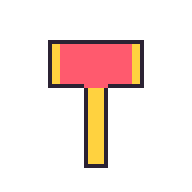 |
impactThe moment it hits |  | 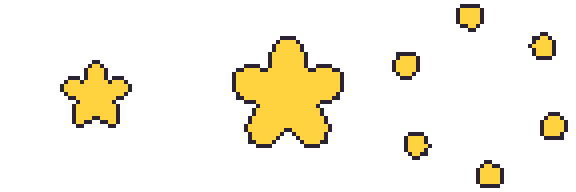 |
Download at real size: fly, impact, Download all (zip)


Poop
A poop item only needs one fly frame. It is drawn sitting on the ground, never rotated. The app draws the 48×48 grid as is without scaling, so keep it small in the bottom center (the default poop is 17 wide and 12 tall) and leave the top empty. It does not have to look like poop. A small prop that suits your character (a mini pumpkin, a coffin, a ball of yarn) works too, as long as it fits the bottom-center 24×24 area. The default poop is shown below.
| Action | Motion | What you upload (4x) |
|---|---|---|
flySitting on the ground |  | 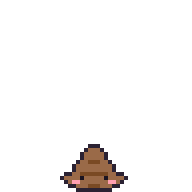 |
Download at real size: fly

Example: Ddeoggi
Every action of Ddeoggi, drawn from a penguin plush. The frame counts match the table above, and since every pose reuses the same body the actions line up with each other.
| Action | Motion | What you upload (4x) |
|---|---|---|
idleStanding still |  | 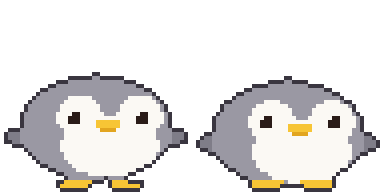 |
walkWalking |  | 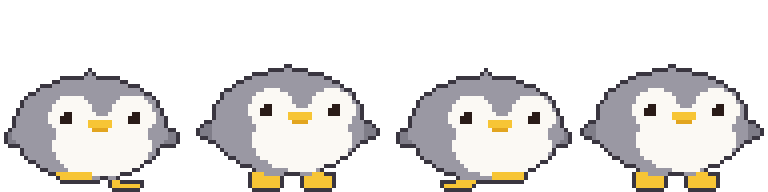 |
sleepAsleep |  | 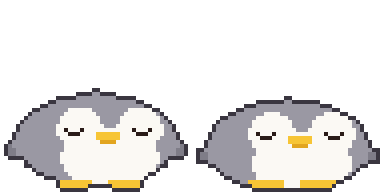 |
pokedPoked |  | 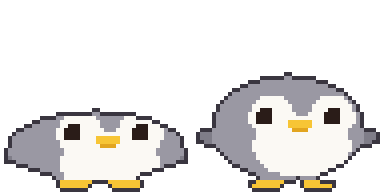 |
throwThrowing |  | 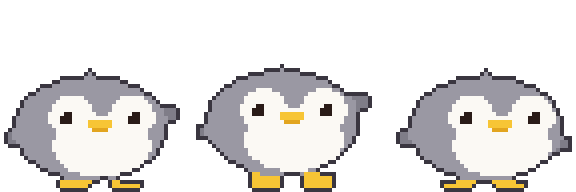 |
hitGetting hit |  | 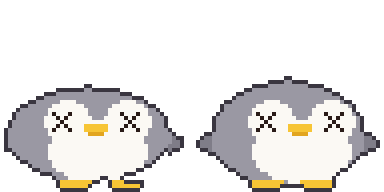 |
jumpDodging, jumping |  | 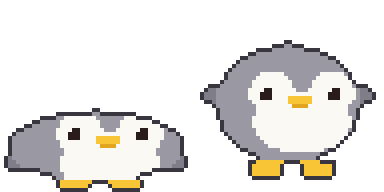 |
eatBeing fed |  | 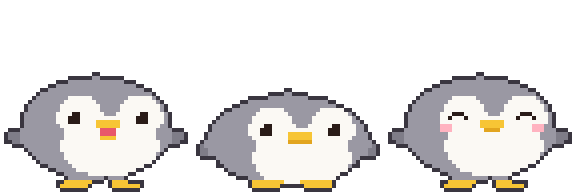 |
waveGreeting |  | 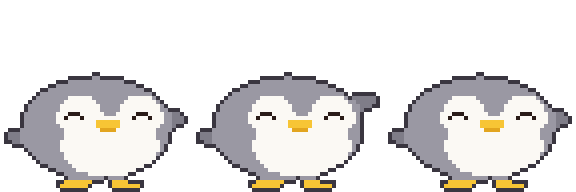 |
happyPetting |  | 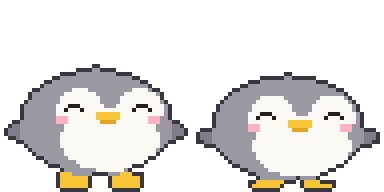 |
offlineOffline |  | 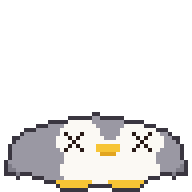 |
Download at real size: idle, walk, sleep, poked, throw, hit, jump, eat, wave, happy, offline, Download all (zip)

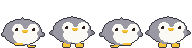


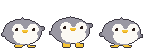


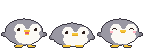
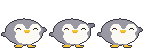


Templates
The "Get template" button in the editor gives you a template with the app's Hamzzi (an acorn for items) drawn into every action. Blank templates are here: 2 frames, 4 frames, 8 frames, Download all (zip)

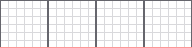

Put it on a layer underneath, draw on top, then hide the template layer before saving. The red line is where the feet go.
Drawing tools: Piskel(web, free), LibreSprite(free), Aseprite(paid)
Make with AI
Image models cannot hit exactly 48 pixels. Generate big, scale down, then clean up.
- Generate with the prompt below
- Scale each frame down to 48×48. The resampling must be nearest neighbor, or it goes blurry.
- Make the background transparent and line the frames up
In the browser, nothing to install:
- Photopea(free, works like Photoshop): to scale down, use "Image > Image Size" and set resampling to Nearest Neighbor. For the background, use the magic wand (tolerance 0, anti-alias off), click the background, press Delete and export as PNG.
- remove.bg(free): for removing just the background. It can soften the edges, so use it on the large image before scaling down.
The base look
Pixel art sprite of a cute [animal], side view facing right, full body,
match the body shape, proportions and features of the attached picture if any
(otherwise the real proportions of that animal or character),
on a 48x48 pixel grid, upscaled so one art pixel is a clean 16x16 block
(768x768 per frame), hard edges, no anti-aliasing, no gradients, no dithering,
about 8 colors, 1px dark outline, flat shading, transparent background,
fills most of the grid (about 30-46 pixels tall), feet on the bottom row,
horizontally centered, nothing touching the top or side edges, no shadow, no text
Action sheet (attach the result above as a reference)
Pixel art sprite sheet of the same character, [N] frames in one horizontal row,
no gaps, facing right, animation: [motion],
each frame on a 48x48 pixel grid, upscaled so one art pixel is a clean 16x16 block
(768x768 per frame), hard edges, no anti-aliasing, no gradients, no dithering,
same palette (about 8 colors) as the reference, 1px dark outline,
same size and position in every frame, feet on the bottom row,
transparent background, the 4 corner pixels of every frame transparent,
nothing touching the top or side edges, no shadow, no text
| Action | [N] | [motion] | Ddeoggi |
|---|---|---|---|
idle | 2 | gentle breathing, body down 1px in frame 2 | |
walk | 4 | walk cycle: left foot forward, body up, right foot forward, body up | |
sleep | 2 | eyes closed, body rises and falls 1px | |
poked | 2 | squashed flat, then back to normal | |
throw | 3 | wind up, then swing one arm forward | |
hit | 2 | knocked back, dizzy swirl eyes | |
jump | 2 | crouch, then stretch up | |
eat | 3 | mouth open, chewing, cheeks puffed | |
wave | 3 | one paw raised, waving | |
happy | 2 | smiling closed eyes, tiny heart | |
offline | 1 | knocked out, squashed flat on the ground, X eyes | |
Items
Pixel art game item, [item], one single frame on a 48x48 pixel grid,
upscaled so one art pixel is a clean 16x16 block (768x768), hard edges,
no anti-aliasing, no gradients, no dithering, centered in the frame,
about 8 colors, 1px dark outline, transparent background,
the 4 corner pixels transparent, no shadow, no text
For a throwable, draw a single fly frame like the toy hammer and let the app spin it with 'Spin while flying'. For something with a direction, like an arrow or a claw, turn it off and draw it facing right:
A throwable needs its own impact (food and poop do not have one):
Pixel art impact effect sprite sheet, 3 frames in one horizontal row, no gaps,
a star bursting from the center of the frame and breaking into pieces,
each frame on a 48x48 pixel grid, upscaled so one art pixel is a clean 16x16 block
(768x768 per frame), hard edges, no anti-aliasing, no gradients, no dithering,
centered in every frame, about 8 colors, 1px dark outline, transparent background,
the 4 corner pixels of every frame transparent, no shadow, no text
With 'Spin while flying' off, food flies upright. Use several frames to give it some motion:
Pixel art food item, [item], [N] frames in one horizontal row, no gaps,
upright in every frame (not spinning), gently bobbing up and down with a small sparkle,
each frame on a 48x48 pixel grid, upscaled so one art pixel is a clean 16x16 block
(768x768 per frame), hard edges, no anti-aliasing, no gradients, no dithering,
centered in every frame, about 8 colors, 1px dark outline, transparent background,
the 4 corner pixels of every frame transparent, no shadow, no text
Poop
[character] is your character's name and look (for example "Ddeoggi, a grey penguin with a yellow beak").
Pixel art of a cute squat swirl poop with a tiny face colored and decorated like
[character] (one feature such as ears or beak), or a small prop that matches
[character] (for example a mini pumpkin or a coffin), one single frame on a 48x48 pixel grid,
upscaled so one art pixel is a clean 16x16 block (768x768), hard edges,
no anti-aliasing, no gradients, no dithering, small (about 17x12 pixels),
horizontally centered, sitting on the bottom row, entirely inside the bottom-center
24x24 area of the grid (x 12-35, y 24-47), about 8 colors, 1px dark outline,
transparent background, no shadow, no text
Use the skill (easiest way)
Download huggybugi-character.zip, upload it to Claude, ChatGPT or Gemini together with a photo and say "follow SKILL.md and make a Huggybugi character from this photo". It draws all 11 actions (plus poop, a throwable or food if you ask) and hands back a zip you can drop into 'Add them all at once' below. The AI has to be able to run code (on Claude and ChatGPT, use a model that can). If uploading it every time gets old, register it as a skill. After that a photo and "make me a Huggybugi character" is enough.
- Claude (web and app): Settings → Capabilities (or Customize > Skills) → "Upload skill", zip and all. Needs a paid plan with code execution on
- ChatGPT: on a plan with Skills, go to Skills → upload and hand it the zip. Otherwise upload the zip in each conversation
- Gemini (web and app): upload the zip under Skills (personal account)
- Gemini CLI: unzip it and put the
huggybugi-characterfolder in~/.gemini/skills/
Claude Code and Codex install it as a plugin, no zip needed, and a plugin update brings new versions along. You can also copy these commands and the spec from "Make with AI" in the app editor.
# Claude Code
/plugin marketplace add Zaehyeon2/huggybugi
/plugin install huggybugi@huggybugi

# Codex
codex plugin marketplace add Zaehyeon2/huggybugi
codex plugin add huggybugi@huggybugi
These menu names change from time to time. See README.md inside the zip for details.
AI that can run code (ChatGPT, Claude and friends)
The grid comes out exact. Define the body, eyes and feet as simple shapes like ellipses, then build every action from one function that takes pose values (body height, eye shape, foot lift) and draws a single frame. That way the actions never drift apart. Attach a photo or a drawing and it follows the colors and the look. With no picture, have it look up a few cute pixel art versions of that animal or item first and it comes out much better.
Write and run a Python (Pillow) script that draws a pixel art [animal] (see the attached
picture) for a 48x48 desktop pet. Match the picture's body shape, proportions and
features as closely as the grid allows (no picture: first look up a few cute pixel art references of that animal or item and follow their proportions, without copying any one of them). Build each frame from simple shapes (ellipses for body,
face, feet) in ONE function draw(pose) that takes pose values like bob, eyes, foot lift,
so every animation reuses the same shapes. Add a 1px dark outline automatically around
the filled pixels. Facing right, feet touching row 47, the 4 corner pixels transparent.
Save one horizontal strip PNG per animation (1x, frames 48x48, no gaps), each file named
exactly after the animation (idle.png, walk.png, ...):
idle 2, walk 4, sleep 2, poked 2, throw 3, hit 2, jump 2, eat 3, wave 3, happy 2, offline 1.
Put all the PNGs in one zip file for download.
Show me an 8x preview, then let me ask for changes.
Items and poop have different actions, so use this instead of the prompt above. Keep only the line for your kind, throwable or food, and delete the other.
Write and run a Python (Pillow) script that draws a pixel art [item] (see the attached
picture) for a 48x48 desktop pet app. Build it from simple shapes with a 1px dark outline,
transparent background, centered in the frame, the 4 corner pixels of every frame
transparent. Save horizontal strip PNGs (1x, frames 48x48, no gaps), keeping only the
line for your item kind:
thrown item: fly 1 facing right (with 'spin while flying' on, the app spins it, so do not draw spin frames)
and impact 3 (the moment it hits).
food: fly 1-4 drawn upright (it is not spun), gently bobbing with a small sparkle,
no impact (food is eaten on arrival). Name the files exactly fly.png and impact.png and
put them in one zip file. Show me an 8x preview, then let me ask for changes.
Write and run a Python (Pillow) script that draws a pixel art poop for a 48x48 desktop pet,
colored and decorated like [character] (one feature such as ears or beak), or a small prop
that matches [character] instead of a poop. One 48x48 frame
saved as fly.png: small (about 17x12 pixels), horizontally centered, sitting on the bottom
row, entirely inside the bottom-center 24x24 area (x 12-35, y 24-47), flat and cute,
1px dark outline, transparent background. Show me an 8x preview.
Item code looks roughly like this (the toy hammer fly and impact, plus the default poop). The hammer and poop images in the examples above came out of this code. File names are just the action names, fly.png and impact.png, but the example below draws two items at once so it prefixes the names.
import math

COLORS = {'K': '#2b2233', 'Y': '#ffd23f', 'R': '#ff5a6e', 'F': '#9a6a48', 'N': '#7a4a24',
          'E': '#1b1420', 'P': '#ff9fb0'}
N = 48    # 48x48 frames

def oval(x, y, cx, cy, rx, ry):  # true if the pixel center (+0.5) is inside the ellipse
    return ((x + 0.5 - cx) / rx) ** 2 + ((y + 0.5 - cy) / ry) ** 2 <= 1

# build one frame from a color letter per pixel, then turn the outer edge into a 1px dark line (K).
def render(fill):
    g = [[fill(x, y) for x in range(N)] for y in range(N)]
    solid = lambda x, y: 0 <= x < N and 0 <= y < N and g[y][x] != '.'
    return [''.join('K' if c != '.' and not (solid(x - 1, y) and solid(x + 1, y)
                                             and solid(x, y - 1) and solid(x, y + 1)) else c
                    for x, c in enumerate(row)) for y, row in enumerate(g)]

# toy hammer: one fly frame (with 'spin while flying' on, the app spins it)
def hammer(x, y):
    if 12 <= x <= 35 and 10 <= y <= 21:
        return 'Y' if x <= 14 or x >= 33 else 'R'
    if 21 <= x <= 26 and 22 <= y <= 41:
        return 'Y'
    return '.'

# impact: a star grows, then breaks into pieces (3 frames)
def star(r):
    def fill(x, y):
        dx, dy = x + 0.5 - 24, y + 0.5 - 24
        a = math.atan2(dy, dx) + math.pi / 2
        edge = r * (0.55 + 0.45 * abs(math.cos(a * 5 / 2)))
        return 'Y' if math.hypot(dx, dy) <= edge else '.'
    return fill

def burst(color, k, n=6):
    def fill(x, y):
        r, s = 10 + k * 5, 4.4 - k * 0.45
        for i in range(n):
            a = i / n * math.pi * 2 + k * 0.2
            if oval(x, y, 24 + math.cos(a) * r, 24 + math.sin(a) * r, s, s):
                return color
        return '.'
    return fill

# poop: one fly frame. three coils touching the bottom row, with eyes, cheeks and mouth on the lowest one
TIERS = [(23.5, 38.8, 3.4, 1.9), (23.5, 41.9, 5.8, 2.2), (23.5, 44.9, 8.1, 3.1)]
DOTS = {(22, 36): 'F', (23, 36): 'F', (24, 36): 'F', (20, 44): 'E', (26, 44): 'E',
        (18, 45): 'P', (19, 45): 'P', (27, 45): 'P', (28, 45): 'P',
        (22, 46): 'N', (23, 46): 'N', (24, 46): 'N'}

def poop(x, y):
    if (x, y) in DOTS:
        return DOTS[(x, y)]
    for i, (cx, cy, rx, ry) in enumerate(TIERS):
        if oval(x, y, cx, cy, rx, ry):
            # the bottom of each coil is the groove where it rests on the one below
            return 'N' if i < len(TIERS) - 1 and y >= cy + ry - 1.1 else 'F'
    return '.'

ANIMS = {
    'hammer-fly': [render(hammer)],
    'hammer-impact': [render(star(9)), render(star(15)), render(burst('Y', 2))],
    'poop-fly': [render(poop)],
}

# one horizontal strip PNG per action (1x, 48x48 frames)
def save(name, frames):
    from PIL import Image, ImageColor
    img = Image.new('RGBA', (N * len(frames), N))
    for i, g in enumerate(frames):
        for y, row in enumerate(g):
            for x, c in enumerate(row):
                if c != '.':
                    img.putpixel((i * N + x, y), ImageColor.getrgb(COLORS[c]))
    img.save(name + '.png')

if __name__ == '__main__':
    for name, frames in ANIMS.items():
        save(name, frames)
The code an AI writes looks roughly like this (Ddeoggi, all 11 actions). The Ddeoggi images in the examples above came out of this code. With Pillow installed you can run it and get one PNG per action.
import math

COLORS = {'K': '#3a3640', 'G': '#9a98a3', 'g': '#7f7d88', 'W': '#fbf9f4', 'Y': '#f7c535',
          'y': '#e2a51f', 'E': '#2a1c18', 'P': '#ffb3c0', 'R': '#e8586a'}
N = 48    # 48x48 frames
S = 1.5   # scale the measurements chosen for 32 up to 48

def rnd(v):  # round .5 up (python round goes to even, so it is not used)
    return math.floor(v + .5)

def u(v):  # pose offsets as whole pixels on the 48 grid
    return int(math.copysign(rnd(abs(v) * S), v)) if v else 0

def oval(x, y, cx, cy, rx, ry):
    return ((x + .5 - cx) / rx) ** 2 + ((y + .5 - cy) / ry) ** 2 <= 1

def tri(x, y, a, b, c):
    px, py = x + .5, y + .5
    s = lambda p, q: (px - q[0]) * (p[1] - q[1]) - (p[0] - q[0]) * (py - q[1])
    d = (s(a, b), s(b, c), s(c, a))
    return not (min(d) < 0 and max(d) > 0)

# one eye (3x3 base). dx, dy are offsets from the top-left of the eye
def eye(dx, dy, kind):
    if kind == 'open':
        return ('W' if dx == dy == 0 else 'E') if 0 <= dx <= 2 and 0 <= dy <= 2 else None
    if kind == 'wide':  # startled: 4x4 with a highlight
        return ('W' if dx == dy == -1 else 'E') if -1 <= dx <= 2 and -1 <= dy <= 2 else None
    hit = {'closed': (dy == 1 and dx in (-1, 3)) or (dy == 2 and 0 <= dx <= 2),
           'happy': (dy == 0 and 0 <= dx <= 2) or (dy == 1 and dx in (-1, 3)),
           'hurt': -1 <= dx <= 3 and -1 <= dy <= 3 and (dx == dy or dx == 2 - dy)}[kind]
    return 'E' if hit else None

# draw one frame from pose values alone. every action reuses the same shapes.
# squash: + flatter, - taller. feet: foot lift. flip: wing lift. lean: body shifted sideways
def draw(bob=0, squash=0, feet=(0, 0), flip=(0, 0), eyes='open', mouth='', blush=False, lean=0):
    ry = (9 - squash) * S
    rx = min((13 + squash * .8) * S, 22.4)  # keep a squashed body inside the grid
    by = (30.4 + min(bob, 1)) * S - ry + max(bob - 1, 0) * S
    cx = min(max((16 + lean) * S, rx + 1.4), 46.6 - rx)
    wl, wr = max(cx - rx + .3 * S, 4.5), min(cx + rx - .3 * S, 43.5)
    fy = by + 1.5 * S
    ey = rnd(by - 3 * S)
    shift = 3 + u(lean)  # the face sits 3 pixels to the right
    gy = rnd((30 + min(bob, 0)) * S) - u(max(feet))

    def foot(fcx, x, y, up):
        b = 47 - u(up)
        return b - 2 + min(0, u(bob + up)) <= y <= b and abs(x + .5 - fcx) <= (3.5 if y == b else 4.8)

    def pixel(x, y):
        body = oval(x, y, cx, by, rx, ry) or tri(
            x, y, (cx - 3.5 * S, by - ry + 2 * S), (cx + 3.5 * S, by - ry + 2 * S), (cx, by - ry - .8 * S))
        fin = oval(x, y, wl, fy - flip[0] * S, 2.6 * S, 1.8 * S) or oval(x, y, wr, fy - flip[1] * S, 2.6 * S, 1.8 * S)
        paw = foot(18.5, x, y, feet[0]) or foot(31.5, x, y, feet[1])
        # paint the feet before the body so they sit in front of it, like a plush
        if paw and y >= gy:
            return 'Y'
        if not body:
            return 'g' if fin else 'Y' if paw else '.'
        fx = x - shift
        e = eye(fx - 14, y - ey, eyes) or eye(fx - 31, y - ey, eyes)
        if e:
            return e
        if y in (ey + 2, ey + 3) and 21 <= fx <= 26:  # beak
            return 'Y'
        if mouth == 'open':  # open while eating, so the mouth shows
            if ey + 4 <= y <= ey + 5 and 22 <= fx <= 25:
                return 'R'
            if y == ey + 6 and 22 <= fx <= 25:
                return 'Y'
        elif y == ey + 4 and (21 if mouth == 'chew' else 22) <= fx <= (26 if mouth == 'chew' else 25):
            return 'y'
        if blush and y in (ey + 3, ey + 4) and (11 <= fx <= 13 or 34 <= fx <= 36):
            return 'P'
        face = (oval(fx, y, 11 * S + .5, by - 2 * S, 3.8 * S, 3.6 * S)
                or oval(fx, y, 21 * S + .5, by - 2 * S, 3.8 * S, 3.6 * S)
                or oval(fx, y, 16 * S + .5, by + 3 * S, 8.2 * S, 5.2 * S))
        return 'W' if face else 'G'

    g = [[pixel(x, y) for x in range(N)] for y in range(N)]
    solid = lambda x, y: 0 <= x < N and 0 <= y < N and g[y][x] != '.'
    edge = lambda x, y: not all(solid(x + a, y + b) for a, b in ((1, 0), (-1, 0), (0, 1), (0, -1)))
    return [''.join('K' if c != '.' and edge(x, y) else c for x, c in enumerate(row)) for y, row in enumerate(g)]

ANIMS = {
    'idle': [draw(), draw(bob=1)],
    'walk': [draw(feet=(1, 0), lean=-1), draw(bob=-1), draw(feet=(0, 1), lean=1), draw(bob=-1)],
    'sleep': [draw(eyes='closed', bob=1, squash=1), draw(eyes='closed', bob=2, squash=1)],
    'poked': [draw(eyes='wide', squash=3), draw(eyes='wide')],
    'throw': [draw(flip=(0, 4), lean=-1), draw(flip=(0, 5), lean=-1, bob=-1), draw(flip=(0, -1), lean=1)],
    'hit': [draw(eyes='hurt', lean=-2, squash=1), draw(eyes='hurt', bob=1)],
    'jump': [draw(squash=3, flip=(-1, -1)), draw(bob=-3, squash=-1, feet=(2, 2), flip=(3, 3))],
    'eat': [draw(mouth='open'), draw(mouth='chew', bob=1, squash=1), draw(eyes='happy', blush=True)],
    'wave': [draw(flip=(0, 3), eyes='happy'), draw(flip=(0, 6), eyes='happy'), draw(flip=(0, 3), eyes='happy')],
    'happy': [draw(eyes='happy', blush=True, bob=-1), draw(eyes='happy', blush=True)],
    'offline': [draw(eyes='hurt', squash=3, bob=1, flip=(-1, -1))],
}

# one horizontal strip PNG per action (1x, 48x48 frames)
def save(name, frames):
    from PIL import Image, ImageColor
    img = Image.new('RGBA', (N * len(frames), N))
    for i, g in enumerate(frames):
        for y, row in enumerate(g):
            for x, c in enumerate(row):
                if c != '.':
                    img.putpixel((i * N + x, y), ImageColor.getrgb(COLORS[c]))
    img.save(name + '.png')

if __name__ == '__main__':
    for name, frames in ANIMS.items():
        save(name, frames)
Add them all at once
Zip the PNGs together and drag the zip onto the editor, or pick it under "Add in bulk", and every slot fills at once. For a plain folder, pick the folder under "Add in bulk". Before adding, it shows you which slot each file goes to, and you can pick a slot yourself for files whose names do not match. The "Download all" zips above use these names, so you can try them straight away.
File names are exactly the action names. Case does not matter, and folders inside the zip are fine.
- Characters:
idle.pngwalk.pngsleep.pngpoked.pngthrow.pnghit.pngjump.pngeat.pngwave.pnghappy.pngoffline.png - Items:
fly.pngimpact.png, soundsound.wav(justfly.pngfor poop)
Check before uploading
- 48 tall, a multiple of 48 wide, 8 frames or fewer
- Transparent background, no template lines left
- Not all four corners of a frame are filled (if they are, it is treated as a leftover background and rejected)
- Facing right, feet on the bottom row, same position in every frame