繁體中文
角色與道具製作方法
每個動作一張 PNG。把影格橫向接起來。
複製規格再拜託它
把這個頁面的規格複製成 Markdown 貼到 ChatGPT 或 Claude,它就會照這個規格做。
上傳
在系統列選單選「角色 > 製作…」,挑角色、道具或表情分頁,然後按「+ 新增」。寫上名字(最多 20 個字),每個動作挑一張 PNG,或是拖到那一格。fps 已經填好建議值。道具還可以挑種類(可投擲、食物、便便)和音效 wav。存檔後就會出現在你的清單裡,也可以在同一個地方修改或刪除。在換角色、挑道具、挑表情的視窗最前面按 + 卡片,也會打開那個種類的製作畫面。
朋友打開系統列的「角色 > 更換…」視窗,或按系統列的「取得新角色與道具」時才會傳過去。你自己挑的角色會馬上顯示。
食物道具要先右鍵點朋友,在「食物」裡挑一個,然後點朋友就會飛過去。在你重新挑「可投擲」之前,每次點擊都是餵食。
便便道具的 fly 圖會畫成掉在地上的便便(不會被丟出去也不會被吃掉)。你的角色吃飽時會留下你挑的便便。朋友還沒下載到的便便,在下載之前會顯示成預設便便。
表情
在「表情」分頁挑 GIF、WebP、APNG、PNG 或 JPG。App 會縮到 64px,最多取 16 格影格,照原本的速度存起來(原圖最大 20MB,寬高各 2048px 以內)。名字最多 20 個字,而且在群組裡不能重複。: 和空白不能用,因為訊息裡的 :名字: 會斷掉,預設表情的名字(heart·question·exclamation·angry·lol·note)也不能用。
用的地方:點自己的角色跳出的選單裡的「表情」(⌃⌥⌘E,Windows 是 Ctrl+Alt+E),挑選視窗會開在頭上。在訊息裡打 : 就會跳出名字,挑了之後會以 :名字: 放進泡泡裡。狀態、暱稱視窗「狀態」分頁的 Emoji 按鈕也能放進狀態裡。在聊天室裡也能用來對訊息做反應。只有同一個群組的朋友看得到。
規格
- 影格 48×48,每個動作最多 8 格(4 格就是 192×48)
- 透明背景,每個檔案 200KB 以內(超過的話 App 會重新存檔縮小。音效 wav 是 50KB)
- 畫成面向右邊(左邊由 App 翻轉)
- 角色和便便要碰到最下面一列、水平居中。可投擲和食物放在影格中間
- 角色要把 48 格填得滿一點(塗到的格子 800~1200 個,高度 30~46 格,身體細的話要再大一點)。App 不會放大,畫太小的話在朋友的角色旁邊看起來就小
角色動作
只要有 idle、walk、sleep 就行。其他動作沒有的話會用別的動作代替。沒有 offline 的話,離線時會變成石頭。
| 動作 | 時機 | 建議 | 沒有時 |
|---|---|---|---|
idle 必需 | 站著不動 | 2 格,2fps | |
walk 必需 | 走路時 | 4 格,6fps | |
sleep 必需 | 離開 30 分鐘或螢幕鎖定(Zzz 由 App 畫) | 2 格,1fps | |
poked | 被戳 | 2 格,8fps | idle |
throw | 丟東西時 | 3 格,10fps | idle |
hit | 被打中時 | 2 格,8fps | poked |
jump | 閃躲時、跳躍動作 | 2 格,8fps | idle |
eat | 被餵食時、吃東西動作 | 3 格,6fps | happy |
wave | 跟上線的朋友打招呼、打招呼動作 | 3 格,6fps | happy |
happy | 被摸摸頭、開心動作 | 2 格,4fps | idle |
offline | 離線(倒下的樣子) | 1 格,1fps | 石頭 |
道具動作
| 動作 | 時機 | 建議 | 沒有時 |
|---|---|---|---|
fly 必需 | 飛行途中。在製作視窗打開「飛行時旋轉」,App 就會幫你轉(新做的預設是關的)。關掉的可投擲會面向飛行方向直直飛,所以要畫成面向右邊;關掉的食物會照你畫的樣子飛,所以要畫成直立的。用影格做點動作,看起來才不會像靜止的(例如彈跳、閃光)。便便是放在地上的樣子 | 可投擲 1 格,食物 1~4 格,12fps(便便 1 格) | |
impact | 打中的瞬間(只有可投擲,食物會直接被吃掉) | 3 格,12fps | App 畫的星星爆開 |
音效 wav 會在碰到的瞬間(便便是掉下來時)響。沒有的話,可投擲和食物就沒聲音,便便則由 App 發出「噗」的聲音。
範例:玩具槌
這是預設道具。fly 只有一張,但飛行途中會旋轉(食物不會轉)。
| 動作 | 動態 | 上傳的樣子(放大 4 倍) |
|---|---|---|
fly飛行途中 |  | 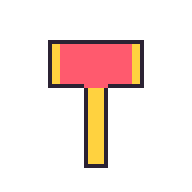 |
impact打中的瞬間 |  | 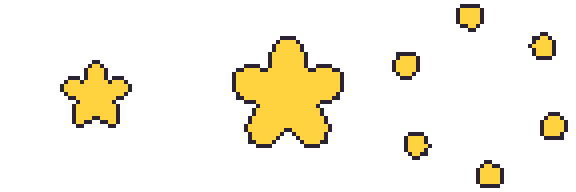 |
下載原始大小: fly, impact, 下載全部(zip)


便便
便便道具只要一張 fly 就好。會畫成放在地上的樣子,不會旋轉。App 不會縮小,會照 48×48 格原樣畫,所以請畫在影格下方中間、畫小一點(預設便便寬 17、高 12 格),上面留空。不用畫成大便的形狀。配合角色的小道具(小南瓜、棺材、毛線球等)也可以,只要放進下方中間的 24×24 範圍內就好。下面是預設便便。
| 動作 | 動態 | 上傳的樣子(放大 4 倍) |
|---|---|---|
fly放在地上的樣子 |  | 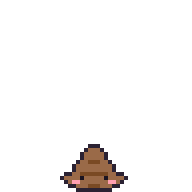 |
下載原始大小: fly

範例:多基
這是照著企鵝玩偶做的多基的所有動作。張數跟上面表格的建議值一樣,而且是同一個身體只換姿勢,所以動作之間的樣子不會走掉。
| 動作 | 動態 | 上傳的樣子(放大 4 倍) |
|---|---|---|
idle站著不動 |  | 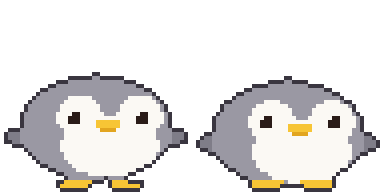 |
walk走路時 |  | 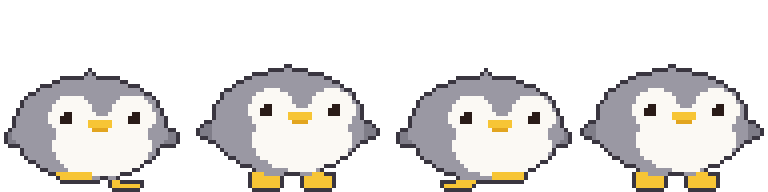 |
sleep睡 |  | 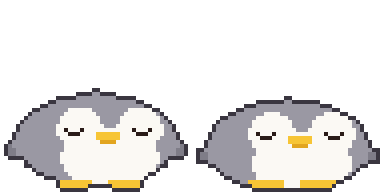 |
poked被戳 |  | 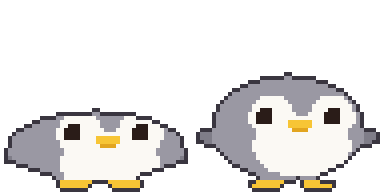 |
throw丟東西時 |  | 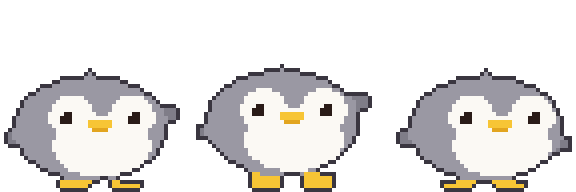 |
hit被打中時 |  | 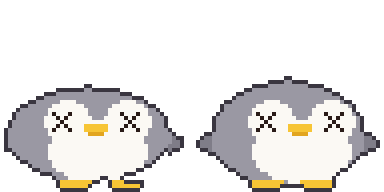 |
jump閃躲、跳躍 |  | 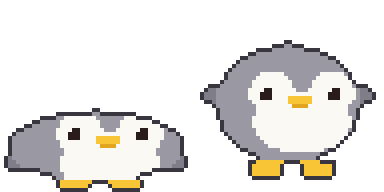 |
eat被餵食時 |  | 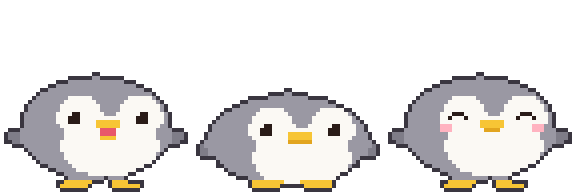 |
wave打招呼 |  | 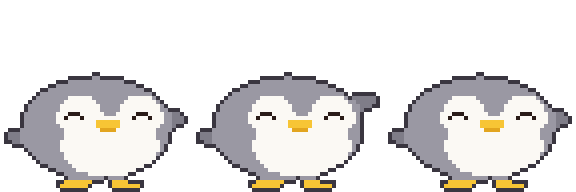 |
happy摸摸頭 |  | 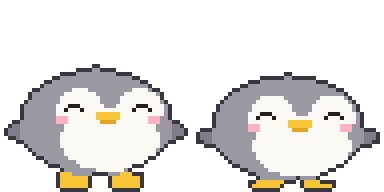 |
offline離線 |  |  |
下載原始大小: idle, walk, sleep, poked, throw, hit, jump, eat, wave, happy, offline, 下載全部(zip)

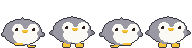


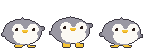


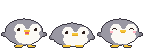
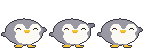


範本
用製作視窗的「下載範本」可以拿到每個動作都畫好 App 倉鼠(道具是橡實)範例的範本。空白範本在這裡: 2 格, 4 格, 8 格, 下載全部(zip)

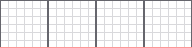

放在下面一層當底稿畫完後,請關掉範本圖層再存檔。紅線是腳的基準線。
繪圖工具: Piskel(網頁、免費), LibreSprite(免費), Aseprite(付費)
用 AI 製作
圖像 AI 沒辦法精準守住 48 像素。先做大的再縮小、修一修。
- 用下面的提示生成
- 把每一格縮到 48×48。內插方式一定要用最近鄰(Nearest Neighbor),不然會模糊。
- 把背景處理成透明、對齊影格位置
不用安裝,在瀏覽器裡:
- Photopea(免費,跟 Photoshop 類似):縮小是在「影像 > 影像大小」裡把重新取樣設成 Nearest Neighbor。背景用魔術棒工具(容許度 0、關掉消除鋸齒)點背景後按 Delete,再匯出成 PNG。
- remove.bg(免費):只想去背時用。邊緣可能會變模糊,所以請用在縮小前的大圖上。
基本樣子
Pixel art sprite of a cute [animal], side view facing right, full body,
match the body shape, proportions and features of the attached picture if any
(otherwise the real proportions of that animal or character),
on a 48x48 pixel grid, upscaled so one art pixel is a clean 16x16 block
(768x768 per frame), hard edges, no anti-aliasing, no gradients, no dithering,
about 8 colors, 1px dark outline, flat shading, transparent background,
fills most of the grid (about 30-46 pixels tall), feet on the bottom row,
horizontally centered, nothing touching the top or side edges, no shadow, no text
動作表(把上面的結果一起當參考圖)
Pixel art sprite sheet of the same character, [N] frames in one horizontal row,
no gaps, facing right, animation: [motion],
each frame on a 48x48 pixel grid, upscaled so one art pixel is a clean 16x16 block
(768x768 per frame), hard edges, no anti-aliasing, no gradients, no dithering,
same palette (about 8 colors) as the reference, 1px dark outline,
same size and position in every frame, feet on the bottom row,
transparent background, the 4 corner pixels of every frame transparent,
nothing touching the top or side edges, no shadow, no text
| 動作 | [N] | [motion] | 多基 |
|---|---|---|---|
idle | 2 | gentle breathing, body down 1px in frame 2 | |
walk | 4 | walk cycle: left foot forward, body up, right foot forward, body up | |
sleep | 2 | eyes closed, body rises and falls 1px | |
poked | 2 | squashed flat, then back to normal | |
throw | 3 | wind up, then swing one arm forward | |
hit | 2 | knocked back, dizzy swirl eyes | |
jump | 2 | crouch, then stretch up | |
eat | 3 | mouth open, chewing, cheeks puffed | |
wave | 3 | one paw raised, waving | |
happy | 2 | smiling closed eyes, tiny heart | |
offline | 1 | knocked out, squashed flat on the ground, X eyes | |
道具
Pixel art game item, [item], one single frame on a 48x48 pixel grid,
upscaled so one art pixel is a clean 16x16 block (768x768), hard edges,
no anti-aliasing, no gradients, no dithering, centered in the frame,
about 8 colors, 1px dark outline, transparent background,
the 4 corner pixels transparent, no shadow, no text
可投擲像玩具槌那樣只畫一張 fly,再打開「飛行時旋轉」讓 App 幫你轉。像箭、爪子這種有方向的就關掉,畫成面向右邊:
可投擲的 impact 要另外畫(食物和便便沒有):
Pixel art impact effect sprite sheet, 3 frames in one horizontal row, no gaps,
a star bursting from the center of the frame and breaking into pieces,
each frame on a 48x48 pixel grid, upscaled so one art pixel is a clean 16x16 block
(768x768 per frame), hard edges, no anti-aliasing, no gradients, no dithering,
centered in every frame, about 8 colors, 1px dark outline, transparent background,
the 4 corner pixels of every frame transparent, no shadow, no text
食物關掉「飛行時旋轉」就會直直飛。想讓它在飛行途中有動作就多畫幾張:
Pixel art food item, [item], [N] frames in one horizontal row, no gaps,
upright in every frame (not spinning), gently bobbing up and down with a small sparkle,
each frame on a 48x48 pixel grid, upscaled so one art pixel is a clean 16x16 block
(768x768 per frame), hard edges, no anti-aliasing, no gradients, no dithering,
centered in every frame, about 8 colors, 1px dark outline, transparent background,
the 4 corner pixels of every frame transparent, no shadow, no text
便便
[character] 是你角色的名字和樣子(例如「多基,灰色企鵝,黃色鳥嘴」)。
Pixel art of a cute squat swirl poop with a tiny face colored and decorated like
[character] (one feature such as ears or beak), or a small prop that matches
[character] (for example a mini pumpkin or a coffin), one single frame on a 48x48 pixel grid,
upscaled so one art pixel is a clean 16x16 block (768x768), hard edges,
no anti-aliasing, no gradients, no dithering, small (about 17x12 pixels),
horizontally centered, sitting on the bottom row, entirely inside the bottom-center
24x24 area of the grid (x 12-35, y 24-47), about 8 colors, 1px dark outline,
transparent background, no shadow, no text
用技能製作(最簡單)
下載 huggybugi-character.zip,上傳到 Claude、ChatGPT 或 Gemini,再附上照片說「照 SKILL.md 用這張照片做 Huggybugi 角色」,它就會畫出 11 個動作(需要的話連便便、可投擲、食物也一起),並給你可以直接放進下面「一次全部上傳」的 zip。AI 必須能執行程式碼(Claude、ChatGPT 要用能執行程式碼的模型)。每次都要上傳很麻煩的話,可以把它登錄成技能。之後只要給照片說「做 Huggybugi 角色」就好。
- Claude(網頁、App):設定的 Capabilities(或 Customize > Skills)→「Upload skill」直接丟 zip。需要開啟程式碼執行的付費方案
- ChatGPT:方案能用 Skills 的話,到 Skills → 上傳直接丟 zip。不然就每次對話都把 zip 一起上傳
- Gemini(網頁、App):在 Skills 上傳 zip(個人帳號)
- Gemini CLI:解壓縮後把
huggybugi-character資料夾放到~/.gemini/skills/
Claude Code·Codex 不用 zip,直接安裝成外掛。出新版本時外掛更新就會一起換。在 App 製作視窗的「用 AI 製作」也可以複製這些指令和規格。
# Claude Code
/plugin marketplace add Zaehyeon2/huggybugi
/plugin install huggybugi@huggybugi

# Codex
codex plugin marketplace add Zaehyeon2/huggybugi
codex plugin add huggybugi@huggybugi
選單名稱有時候會被服務改掉。詳細請看 zip 裡的 README.md。
能執行程式碼的 AI(ChatGPT、Claude 等)
格線會很精準。把身體、眼睛、腳用橢圓這種圖形定義好,再做一個接收姿勢數值(身體高度、眼睛形狀、抬腳)畫出一張圖的函式,用它做出所有動作,動作之間的樣子就不會走掉。一起給照片或圖,它就會照著顏色和外型畫。沒有照片的話,先讓它找幾張這種動物或道具的可愛像素圖看看再畫,會好很多。
Write and run a Python (Pillow) script that draws a pixel art [animal] (see the attached
picture) for a 48x48 desktop pet. Match the picture's body shape, proportions and
features as closely as the grid allows (no picture: first look up a few cute pixel art references of that animal or item and follow their proportions, without copying any one of them). Build each frame from simple shapes (ellipses for body,
face, feet) in ONE function draw(pose) that takes pose values like bob, eyes, foot lift,
so every animation reuses the same shapes. Add a 1px dark outline automatically around
the filled pixels. Facing right, feet touching row 47, the 4 corner pixels transparent.
Save one horizontal strip PNG per animation (1x, frames 48x48, no gaps), each file named
exactly after the animation (idle.png, walk.png, ...):
idle 2, walk 4, sleep 2, poked 2, throw 3, hit 2, jump 2, eat 3, wave 3, happy 2, offline 1.
Put all the PNGs in one zip file for download.
Show me an 8x preview, then let me ask for changes.
道具和便便的動作不一樣,所以用這個取代上面的提示。可投擲和食物只留你那個種類的那一行,其他刪掉。
Write and run a Python (Pillow) script that draws a pixel art [item] (see the attached
picture) for a 48x48 desktop pet app. Build it from simple shapes with a 1px dark outline,
transparent background, centered in the frame, the 4 corner pixels of every frame
transparent. Save horizontal strip PNGs (1x, frames 48x48, no gaps), keeping only the
line for your item kind:
thrown item: fly 1 facing right (with 'spin while flying' on, the app spins it, so do not draw spin frames)
and impact 3 (the moment it hits).
food: fly 1-4 drawn upright (it is not spun), gently bobbing with a small sparkle,
no impact (food is eaten on arrival). Name the files exactly fly.png and impact.png and
put them in one zip file. Show me an 8x preview, then let me ask for changes.
Write and run a Python (Pillow) script that draws a pixel art poop for a 48x48 desktop pet,
colored and decorated like [character] (one feature such as ears or beak), or a small prop
that matches [character] instead of a poop. One 48x48 frame
saved as fly.png: small (about 17x12 pixels), horizontally centered, sitting on the bottom
row, entirely inside the bottom-center 24x24 area (x 12-35, y 24-47), flat and cute,
1px dark outline, transparent background. Show me an 8x preview.
道具的程式碼大概是這個樣子(玩具槌的 fly、impact,還有預設便便)。上面範例的玩具槌和便便圖就是這段程式碼畫出來的。檔名就用動作名字 fly.png、impact.png 就好,下面的範例是一次畫兩個道具,所以前面加了名字。
import math

COLORS = {'K': '#2b2233', 'Y': '#ffd23f', 'R': '#ff5a6e', 'F': '#9a6a48', 'N': '#7a4a24',
          'E': '#1b1420', 'P': '#ff9fb0'}
N = 48    # 48x48 影格

def oval(x, y, cx, cy, rx, ry):  # 格子中心(+0.5)在橢圓裡面就成立
    return ((x + 0.5 - cx) / rx) ** 2 + ((y + 0.5 - cy) / ry) ** 2 <= 1

# 每格用一個顏色字母組成一張圖,再把外側邊緣換成 1px 黑線(K)。
def render(fill):
    g = [[fill(x, y) for x in range(N)] for y in range(N)]
    solid = lambda x, y: 0 <= x < N and 0 <= y < N and g[y][x] != '.'
    return [''.join('K' if c != '.' and not (solid(x - 1, y) and solid(x + 1, y)
                                             and solid(x, y - 1) and solid(x, y + 1)) else c
                    for x, c in enumerate(row)) for y, row in enumerate(g)]

# 玩具槌:fly 一張(打開「飛行時旋轉」App 就會轉)
def hammer(x, y):
    if 12 <= x <= 35 and 10 <= y <= 21:
        return 'Y' if x <= 14 or x >= 33 else 'R'
    if 21 <= x <= 26 and 22 <= y <= 41:
        return 'Y'
    return '.'

# impact:星星變大後碎成好幾片(3 張)
def star(r):
    def fill(x, y):
        dx, dy = x + 0.5 - 24, y + 0.5 - 24
        a = math.atan2(dy, dx) + math.pi / 2
        edge = r * (0.55 + 0.45 * abs(math.cos(a * 5 / 2)))
        return 'Y' if math.hypot(dx, dy) <= edge else '.'
    return fill

def burst(color, k, n=6):
    def fill(x, y):
        r, s = 10 + k * 5, 4.4 - k * 0.45
        for i in range(n):
            a = i / n * math.pi * 2 + k * 0.2
            if oval(x, y, 24 + math.cos(a) * r, 24 + math.sin(a) * r, s, s):
                return color
        return '.'
    return fill

# 便便:fly 一張。碰到最下面一列的三層盤捲,最下層有眼睛、臉頰、嘴巴
TIERS = [(23.5, 38.8, 3.4, 1.9), (23.5, 41.9, 5.8, 2.2), (23.5, 44.9, 8.1, 3.1)]
DOTS = {(22, 36): 'F', (23, 36): 'F', (24, 36): 'F', (20, 44): 'E', (26, 44): 'E',
        (18, 45): 'P', (19, 45): 'P', (27, 45): 'P', (28, 45): 'P',
        (22, 46): 'N', (23, 46): 'N', (24, 46): 'N'}

def poop(x, y):
    if (x, y) in DOTS:
        return DOTS[(x, y)]
    for i, (cx, cy, rx, ry) in enumerate(TIERS):
        if oval(x, y, cx, cy, rx, ry):
            # 上層的下緣是靠在下層上面的凹槽
            return 'N' if i < len(TIERS) - 1 and y >= cy + ry - 1.1 else 'F'
    return '.'

ANIMS = {
    'hammer-fly': [render(hammer)],
    'hammer-impact': [render(star(9)), render(star(15)), render(burst('Y', 2))],
    'poop-fly': [render(poop)],
}

# 每個動作一張橫向長條 PNG(1 倍,影格 48x48)
def save(name, frames):
    from PIL import Image, ImageColor
    img = Image.new('RGBA', (N * len(frames), N))
    for i, g in enumerate(frames):
        for y, row in enumerate(g):
            for x, c in enumerate(row):
                if c != '.':
                    img.putpixel((i * N + x, y), ImageColor.getrgb(COLORS[c]))
    img.save(name + '.png')

if __name__ == '__main__':
    for name, frames in ANIMS.items():
        save(name, frames)
AI 寫的程式碼大概是這個樣子(多基,11 個動作全部)。上面範例的多基圖就是這段程式碼畫出來的。有裝 Pillow 的話執行它,每個動作都會存成一張 PNG。
import math

COLORS = {'K': '#3a3640', 'G': '#9a98a3', 'g': '#7f7d88', 'W': '#fbf9f4', 'Y': '#f7c535',
          'y': '#e2a51f', 'E': '#2a1c18', 'P': '#ffb3c0', 'R': '#e8586a'}
N = 48    # 48x48 影格
S = 1.5   # 把用 32 格定好的尺寸換成 48 格

def rnd(v):  # 0.5 進位(python 的 round 會往偶數靠,所以不用)
    return math.floor(v + .5)

def u(v):  # 姿勢位移量換成 48 格的整數
    return int(math.copysign(rnd(abs(v) * S), v)) if v else 0

def oval(x, y, cx, cy, rx, ry):
    return ((x + .5 - cx) / rx) ** 2 + ((y + .5 - cy) / ry) ** 2 <= 1

def tri(x, y, a, b, c):
    px, py = x + .5, y + .5
    s = lambda p, q: (px - q[0]) * (p[1] - q[1]) - (p[0] - q[0]) * (py - q[1])
    d = (s(a, b), s(b, c), s(c, a))
    return not (min(d) < 0 and max(d) > 0)

# 單邊眼睛(以 3x3 為準)。dx, dy 是離眼睛左上角幾格
def eye(dx, dy, kind):
    if kind == 'open':
        return ('W' if dx == dy == 0 else 'E') if 0 <= dx <= 2 and 0 <= dy <= 2 else None
    if kind == 'wide':  # 驚訝:4x4 加高光
        return ('W' if dx == dy == -1 else 'E') if -1 <= dx <= 2 and -1 <= dy <= 2 else None
    hit = {'closed': (dy == 1 and dx in (-1, 3)) or (dy == 2 and 0 <= dx <= 2),
           'happy': (dy == 0 and 0 <= dx <= 2) or (dy == 1 and dx in (-1, 3)),
           'hurt': -1 <= dx <= 3 and -1 <= dy <= 3 and (dx == dy or dx == 2 - dy)}[kind]
    return 'E' if hit else None

# 只接收姿勢數值畫出一張。所有動作都用同一組圖形。
# squash:+ 扁,- 長。feet:抬腳。flip:抬翅膀。lean:身體左右移動
def draw(bob=0, squash=0, feet=(0, 0), flip=(0, 0), eyes='open', mouth='', blush=False, lean=0):
    ry = (9 - squash) * S
    rx = min((13 + squash * .8) * S, 22.4)  # 讓壓扁的身體不要跑出格子外
    by = (30.4 + min(bob, 1)) * S - ry + max(bob - 1, 0) * S
    cx = min(max((16 + lean) * S, rx + 1.4), 46.6 - rx)
    wl, wr = max(cx - rx + .3 * S, 4.5), min(cx + rx - .3 * S, 43.5)
    fy = by + 1.5 * S
    ey = rnd(by - 3 * S)
    shift = 3 + u(lean)  # 臉往右偏 3 格
    gy = rnd((30 + min(bob, 0)) * S) - u(max(feet))

    def foot(fcx, x, y, up):
        b = 47 - u(up)
        return b - 2 + min(0, u(bob + up)) <= y <= b and abs(x + .5 - fcx) <= (3.5 if y == b else 4.8)

    def pixel(x, y):
        body = oval(x, y, cx, by, rx, ry) or tri(
            x, y, (cx - 3.5 * S, by - ry + 2 * S), (cx + 3.5 * S, by - ry + 2 * S), (cx, by - ry - .8 * S))
        fin = oval(x, y, wl, fy - flip[0] * S, 2.6 * S, 1.8 * S) or oval(x, y, wr, fy - flip[1] * S, 2.6 * S, 1.8 * S)
        paw = foot(18.5, x, y, feet[0]) or foot(31.5, x, y, feet[1])
        # 像玩偶一樣讓腳看起來在身體前面,所以比身體先畫
        if paw and y >= gy:
            return 'Y'
        if not body:
            return 'g' if fin else 'Y' if paw else '.'
        fx = x - shift
        e = eye(fx - 14, y - ey, eyes) or eye(fx - 31, y - ey, eyes)
        if e:
            return e
        if y in (ey + 2, ey + 3) and 21 <= fx <= 26:  # 鳥嘴
            return 'Y'
        if mouth == 'open':  # 吃東西時會張開,看得到嘴巴裡面
            if ey + 4 <= y <= ey + 5 and 22 <= fx <= 25:
                return 'R'
            if y == ey + 6 and 22 <= fx <= 25:
                return 'Y'
        elif y == ey + 4 and (21 if mouth == 'chew' else 22) <= fx <= (26 if mouth == 'chew' else 25):
            return 'y'
        if blush and y in (ey + 3, ey + 4) and (11 <= fx <= 13 or 34 <= fx <= 36):
            return 'P'
        face = (oval(fx, y, 11 * S + .5, by - 2 * S, 3.8 * S, 3.6 * S)
                or oval(fx, y, 21 * S + .5, by - 2 * S, 3.8 * S, 3.6 * S)
                or oval(fx, y, 16 * S + .5, by + 3 * S, 8.2 * S, 5.2 * S))
        return 'W' if face else 'G'

    g = [[pixel(x, y) for x in range(N)] for y in range(N)]
    solid = lambda x, y: 0 <= x < N and 0 <= y < N and g[y][x] != '.'
    edge = lambda x, y: not all(solid(x + a, y + b) for a, b in ((1, 0), (-1, 0), (0, 1), (0, -1)))
    return [''.join('K' if c != '.' and edge(x, y) else c for x, c in enumerate(row)) for y, row in enumerate(g)]

ANIMS = {
    'idle': [draw(), draw(bob=1)],
    'walk': [draw(feet=(1, 0), lean=-1), draw(bob=-1), draw(feet=(0, 1), lean=1), draw(bob=-1)],
    'sleep': [draw(eyes='closed', bob=1, squash=1), draw(eyes='closed', bob=2, squash=1)],
    'poked': [draw(eyes='wide', squash=3), draw(eyes='wide')],
    'throw': [draw(flip=(0, 4), lean=-1), draw(flip=(0, 5), lean=-1, bob=-1), draw(flip=(0, -1), lean=1)],
    'hit': [draw(eyes='hurt', lean=-2, squash=1), draw(eyes='hurt', bob=1)],
    'jump': [draw(squash=3, flip=(-1, -1)), draw(bob=-3, squash=-1, feet=(2, 2), flip=(3, 3))],
    'eat': [draw(mouth='open'), draw(mouth='chew', bob=1, squash=1), draw(eyes='happy', blush=True)],
    'wave': [draw(flip=(0, 3), eyes='happy'), draw(flip=(0, 6), eyes='happy'), draw(flip=(0, 3), eyes='happy')],
    'happy': [draw(eyes='happy', blush=True, bob=-1), draw(eyes='happy', blush=True)],
    'offline': [draw(eyes='hurt', squash=3, bob=1, flip=(-1, -1))],
}

# 每個動作一張橫向長條 PNG(1 倍,影格 48x48)
def save(name, frames):
    from PIL import Image, ImageColor
    img = Image.new('RGBA', (N * len(frames), N))
    for i, g in enumerate(frames):
        for y, row in enumerate(g):
            for x, c in enumerate(row):
                if c != '.':
                    img.putpixel((i * N + x, y), ImageColor.getrgb(COLORS[c]))
    img.save(name + '.png')

if __name__ == '__main__':
    for name, frames in ANIMS.items():
        save(name, frames)
一次全部上傳
把 PNG 打包成一個 zip 拖到製作視窗,或是在「一次加入」挑 zip 檔,每一格就會一次填好。沒打包的資料夾就在「一次加入」挑資料夾。放進去之前會先顯示每個檔案要放哪一格,名字對不上的檔案可以自己挑格子。上面的「下載全部」zip 也是這個命名,可以直接放進去試試。
檔名就是動作名字本身。大小寫沒差,zip 裡面有資料夾也沒關係。
- 角色:
idle.pngwalk.pngsleep.pngpoked.pngthrow.pnghit.pngjump.pngeat.pngwave.pnghappy.pngoffline.png - 道具:
fly.pngimpact.png,音效sound.wav(便便只要fly.png)
上傳前確認
- 高 48,寬是 48 的倍數,8 格影格以內
- 背景透明,沒有留下範本線
- 每一格的四個角不能都被塗滿(都塗滿的話會被當成留著背景而擋下來)
- 面向右邊,腳在最下面一列,每一格位置一樣